Allow Simultaneous Attendances from the Same Client
Introduction
The flag "Allow simultaneous attendances from the same client" is a configuration available in Omni that, when enabled, allows the same client to be attended in more than one service at the same time, as long as they are different services (or different queues), even when using the same origin channel, such as Chat, WhatsApp, Email, Instagram, or Facebook.
This functionality was created to provide greater flexibility to operations that use multiple specialized or segmented services and wish to handle the same client in different contexts simultaneously.
How It Works
When the flag is disabled (default behavior):
- The system blocks the opening of multiple simultaneous attendances for the same client, regardless of the service.
- Prevents transfers to a service where the client already has an active attendance.
- Blocks sending HSM messages to a client who is already in attendance on the platform.
- Also prevents transfers by TAG or via Mass Management, if the number is already being attended in the destination.
When the flag is enabled:
- The client can be attended in multiple services at the same time, provided that:
- The services are different.
- Each attendance is in a distinct queue.
- Transfers between services are allowed, as long as there is no duplication in the destination.
- Sending HSM messages is allowed, even if an attendance is already in progress in another service.
- This also applies to attendances via bots.
Visual Examples
Flag Disabled
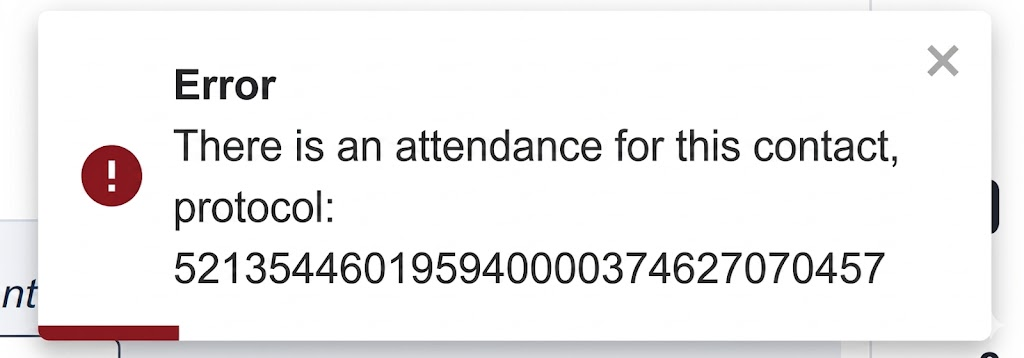
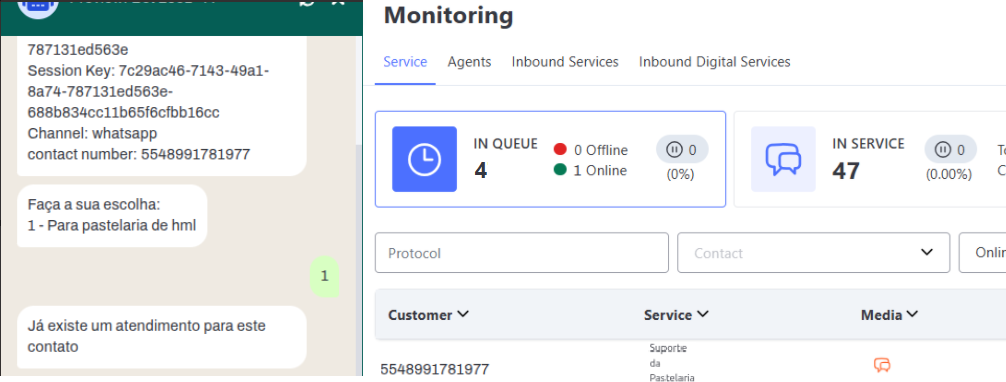
When attempting to start a new attendance for a client who is already in attendance, the system displays an error message such as:
Flag Enabled
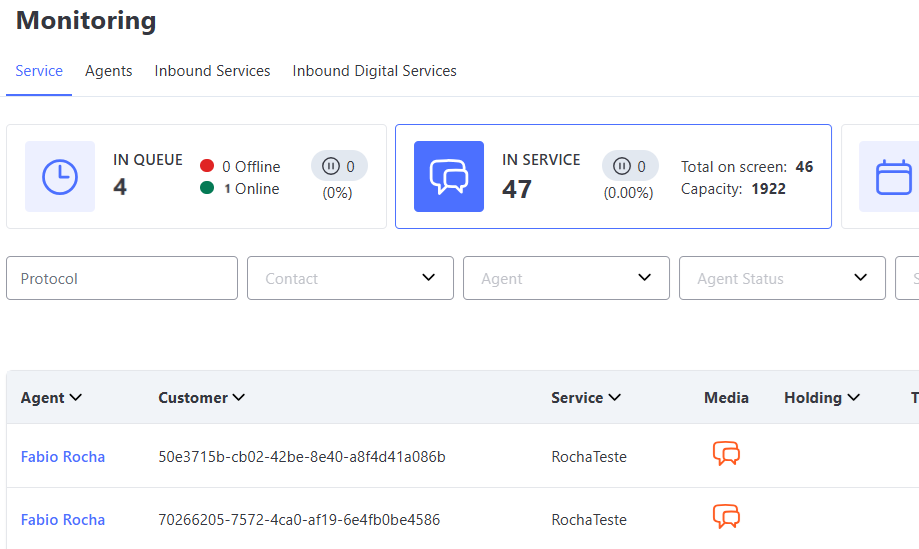
The same client appears being attended in two different services simultaneously, without restrictions.
Transfer Attempt
Example of a transfer attempt with the flag disabled: